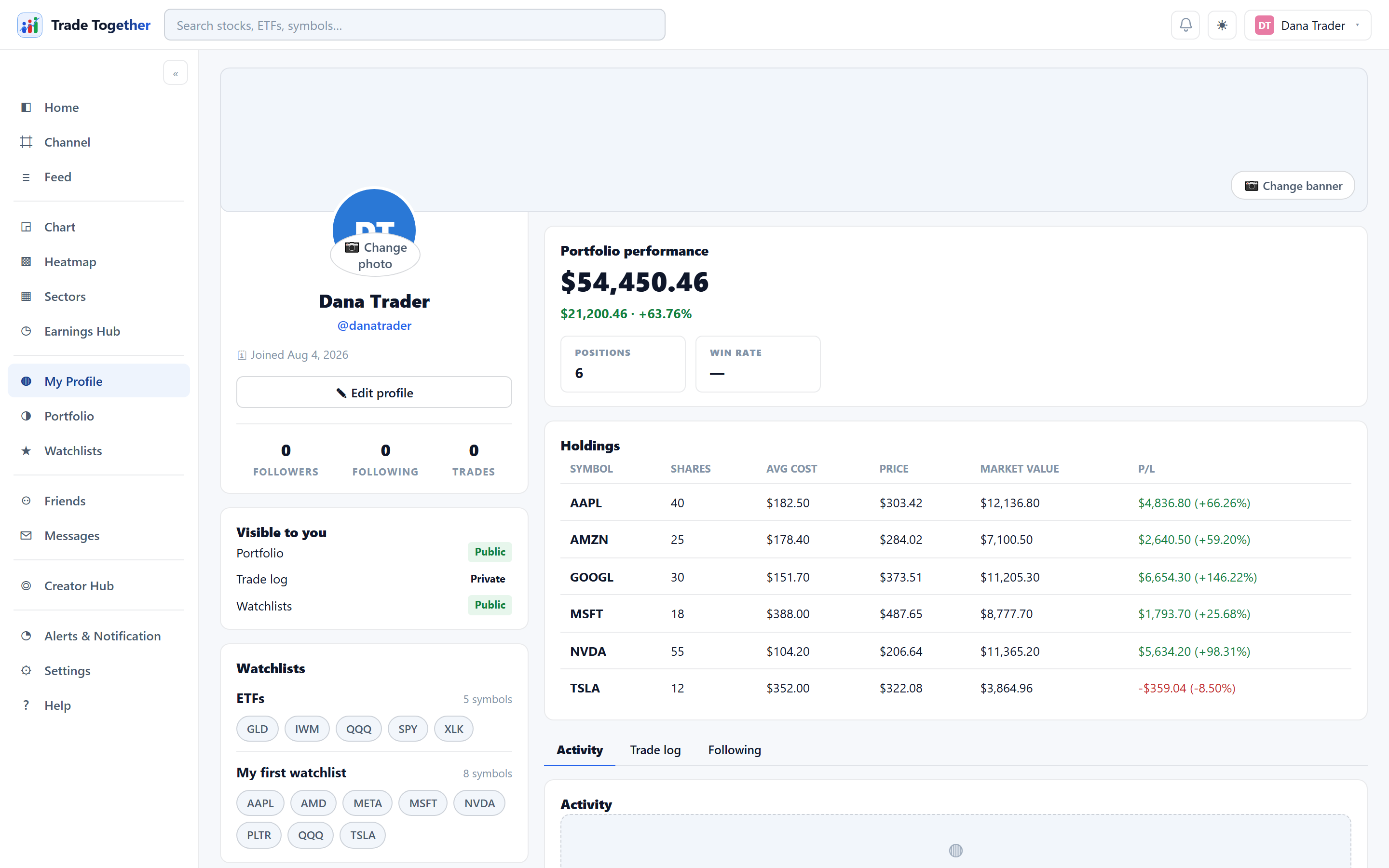
Your profile is the page other people see. It carries who you are, and — if you have chosen to share it — what you hold and how you have done.
15.1 Editing it
✎ Edit profile turns the identity card into a form:
- Username
- Your public
@name. Checked for uniqueness as you save; if somebody already has it, you are told. - Bio
- A line or two about how you trade.
- Location
- Free text.
- Trading since
- A year. It is labelled self-reported wherever it appears — unlike the trade log, there is no way to verify it, and the app does not pretend otherwise.
- Links
- Up to five, each with its own label.
📷 Change photo and 📷 Change banner upload your avatar and the image across the top.
15.2 What the page shows
The left rail holds your identity: picture, name, @handle, any
role badges, bio, location, trading-since year, join date, your links, and
the counts for Followers, Following and
Trades.
On the right, a Portfolio performance card and your holdings — both subject to your portfolio's visibility setting.
- Positions
- How many positions are open right now.
- Win rate
- The share of closed round trips that made money — sells matched against earlier buys, first in first out. It counts nothing that is still open, which is exactly why it is displayed next to the open-position count. A 100% win rate with fifteen losing positions still open is not what it looks like, and the two figures are shown together so you cannot read one without the other.
Tabs on the right: Activity (what you have posted) and Trade log. On your own profile there is a third, Following, listing everyone you follow with a per-person switch for new-post alerts.
Who somebody follows is only ever visible to them. The Following tab does not appear on other people's profiles.