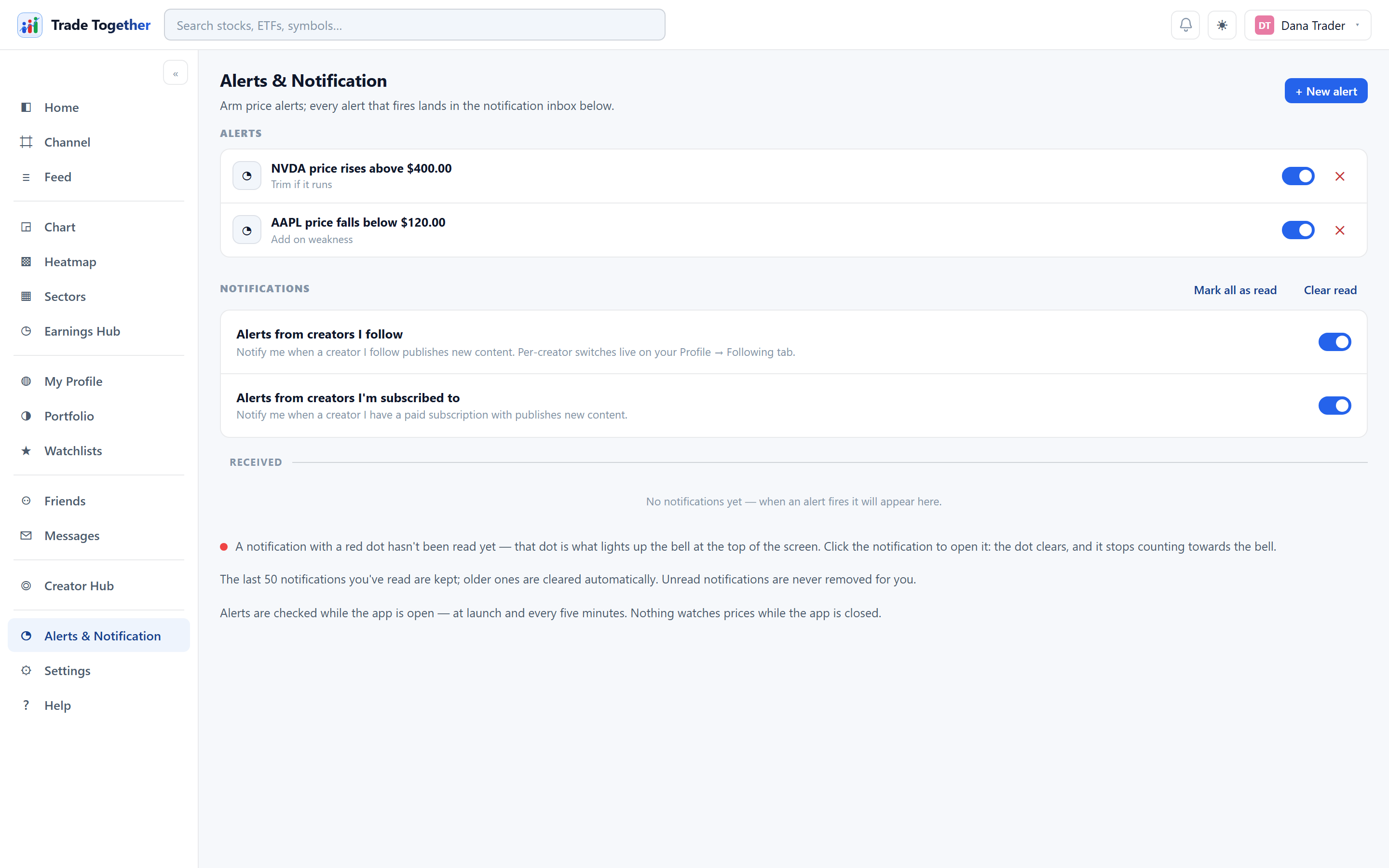
One page, two halves. Alerts at the top are the rules you arm. Notifications below are the results — everything that has already happened.
14.1 Setting a price alert
+ New alert opens a dialog with four fields: the symbol, the condition, a value, and an optional note to remind you why you set it.
- Price rises above
- Fires when the price goes over your value.
- Price falls below
- Fires when it drops under it.
- Gains more than (%)
- Fires on a percentage move up.
- Drops more than (%)
- Fires on a percentage move down.
A new rule is evaluated the moment you create it, so an alert that is already past its threshold fires straight away instead of waiting.
Each rule in the list has a switch and a ✕. Clicking the rule text opens that symbol's chart. An alert that fires disarms itself — it did its job — and the row then shows when it fired. Flick the switch back on to re-arm it.
Alerts are checked while the app is open — when you open it, and every five minutes after that. Nothing watches prices while every tab is closed. Do not rely on this to catch something overnight.
14.2 The notification inbox
Fired alerts land here, and so does everything else that wants your attention: friend requests, new followers, posts from creators you follow, and occasional system messages.
A notification with a red dot has not been read yet, and that dot is what lights up the bell in the top bar. Clicking the notification opens it, clears the dot, and stops it counting toward the bell.
- Mark all as read
- Clears every dot at once.
- Clear read
- Deletes the ones you have already read. It never touches unread ones — those are the only ones that still matter.
- ✕ on a row
- Dismisses that one notification.
A friend request in the inbox can be answered where you are reading it: Accept and Decline appear on the row, so you do not have to go and find it again on the Friends page.
Read notifications are kept up to a limit and older ones are cleared automatically. Unread notifications are never removed for you.
14.3 Alerts from creators
Two master switches sit above the inbox:
- Alerts from creators I follow — notify me when someone I follow publishes.
- Alerts from creators I'm subscribed to — the same for paid subscriptions.
These are the master controls. Per-creator switches live on My Profile → Following, so you can follow ten people and be notified about two.