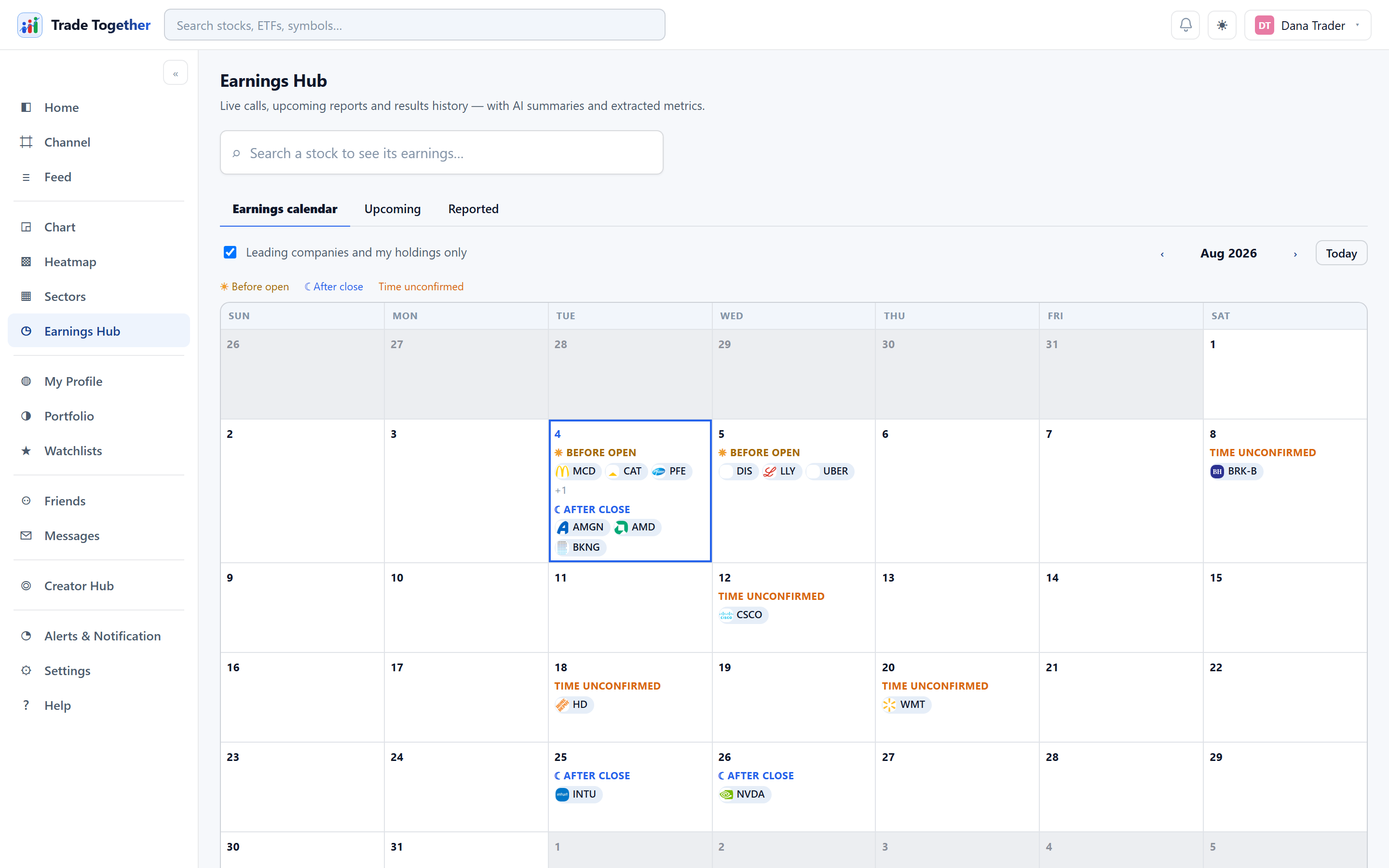
Who is reporting, when, and what happened when they did. A search box at the top jumps straight to one company's earnings history; below it are three tabs.
9.1 Earnings calendar
A month grid. Each day is split into three groups, because the timing changes what the day looks like for a holder:
- Before open — reports before the session starts.
- After close — reports once it has ended.
- Time unconfirmed — the company has not said which.
Arrows at the top move between months.
9.2 Upcoming
What is still to come, grouped by day, with Next 7 days and Next month to set how far ahead to look. Each entry shows the analyst EPS and revenue estimates.
9.3 Reported
Results that are already out, grouped by month with the newest first, and labelled Beat, Miss or In-line against the estimate. Choose Last 3 months, Last 6 months, or Custom range and pick your own start and end months.
Older months can come back empty even though the companies did report. The earnings history included on these data plans is limited, and the backup provider carries noticeably less than the main one. When that happens the page tells you how many of the months you asked for were actually covered, rather than quietly showing you a short list.
9.4 The “leading companies” filter
The tickbox Leading companies and my holdings only applies to all three tabs at once. On any given day hundreds of companies report, most of which you have never heard of, and the unfiltered list is unusable.
“Leading” means the most heavily traded US common stocks, plus anything you hold or watch. It is not a verified S&P 500 or NASDAQ-100 membership list. The page always shows how many companies you are seeing out of how many reported, so you know how much the filter is hiding — and if the filter leaves nothing, it says that too rather than looking empty.